Best C++ Static Code Analysis Tools in 2026

TL;DR overview
- C++ static code analysis is the process of examining source code without executing it to identify defects, security vulnerabilities, and maintainability issues.
- Modern platforms like SonarQube integrate into CI/CD pipelines and IDEs to provide developers with real-time feedback and automated pull request reviews.
- Top tools for 2026 include specialized solutions like PVS-Studio, Cppcheck, CppDepend, and Klocwork to detect bugs and enforce industry coding standards.
- A robust static analysis strategy shifts defect detection left, reducing development costs while ensuring code quality, security, and compliance across large systems.
Why C++ Static Code Analysis Is Important in 2026
C++ powers some of the most performance-critical and safety-sensitive systems in the world, and in 2026 its complexity continues to grow with new standards, advanced templates, concurrency models, and modern language features. As codebases scale and evolve, the risk of subtle defects—ranging from memory mismanagement to undefined behavior—rises sharply. Static code analysis provides an essential early-warning system, catching bugs, vulnerabilities, and maintainability issues before they make their way into production. This shift-left approach reduces the cost of fixing defects, increases developer productivity, and gives teams the confidence to move quickly without sacrificing quality.
At the same time, the industry’s expectations for software security and reliability are higher than ever. Regulations across automotive, aerospace, medical, and industrial sectors require predictable, auditable software development practices, and organizations face growing pressure to safeguard their software supply chains. Static analysis plays a critical role in meeting these demands by enforcing coding standards, surfacing security risks early, and providing continuous visibility into the health of large, long-lived C++ systems. In a development landscape defined by complexity and speed, static code analysis is no longer optional—it’s foundational.
What is C++ Static Code Analysis?
C++ static code analysis is the process of examining source code without executing it to identify defects, security vulnerabilities, code smells, and maintainability issues. Using automated rule engines, control-flow analysis, symbolic execution, and pattern matching, static analysis tools evaluate how code behaves across different paths and states—long before it’s compiled into a running application. This approach is particularly valuable in C++, where manual memory management, pointer-heavy logic, and complex language features can introduce subtle, hard-to-detect problems.
Unlike traditional testing, which only checks the behavior of code that actually runs, static analysis scans the entire codebase and detects issues that might never surface during runtime tests. Modern tools integrate directly into IDEs and CI/CD pipelines, providing real-time feedback as developers write code and automated checks during pull requests. The result is earlier detection of bugs, stronger security posture, and more consistent enforcement of coding standards across teams. Static code analysis acts as an automated reviewer working alongside developers, ensuring that C++ code remains robust, secure, and maintainable throughout its lifecycle.
The Top 5 C++ Static Code Analysis Tools for 2026
The market for C++ static code analysis tools have converged, with the most successful platforms combining traditional code quality features with advanced security capabilities (SAST) and AI-driven automation.
1. SonarQube — The Leading C++ Static Code Analysis Platform

SonarQube is widely recognized as the most complete static analysis solution for C++ in 2026. It analyzes C++ code against thousands of industry-standard rules, detects vulnerabilities, bugs, and code smells, and enforces consistent quality across teams. SonarQube Cloud offers an easy SaaS setup, while SonarQube’s self-managed edition supports organizations with strict security or compliance requirements.
Key Features
- Deep C++ static analysis with extensive rule sets (bug detection, security vulnerabilities, maintainability issues)
- Quality, actionable issue explanations that help developers fix problems efficiently
- Automatic code reviews directly in pull requests
- Quality Gates to prevent risky code from being merged
- CI/CD integrations for all major pipelines
- SonarQube for IDE (formerly SonarLint) for real-time, local feedback
2. PVS-Studio
PVS-Studio offers rich static analysis for C, C++, and other languages. It excels at uncovering subtle defects, undefined behavior, and complex bug patterns that are hard to catch manually.
Key Features
- Multi-platform support (Linux, Windows, macOS)
- Integration with major IDEs
- Detailed error explanations
- Supports large enterprise codebases
3. Cppcheck
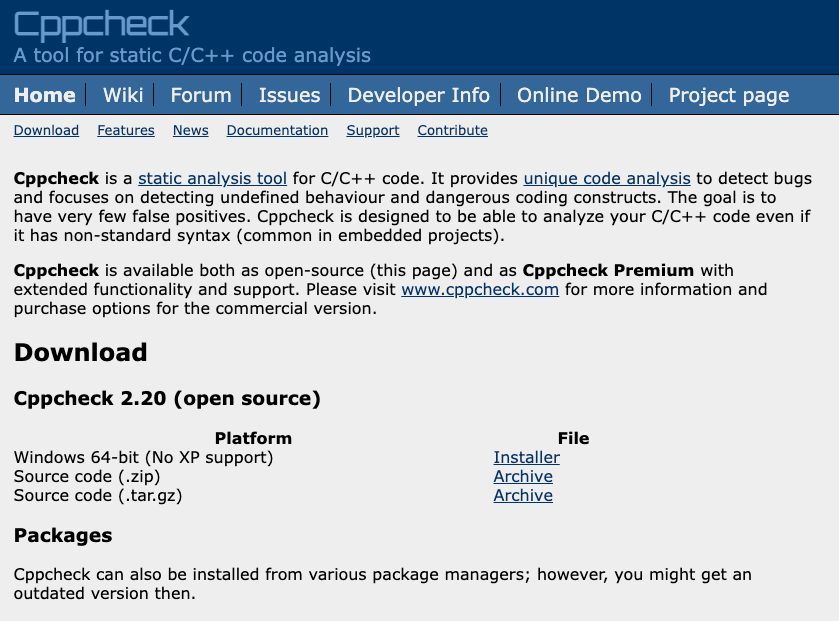
Cppcheck focuses on detecting real defects with minimal false positives. It’s one of the most widely adopted open-source C++ analysis tools.
Key Features
- Highly configurable rule sets
- Detects memory errors, dead code, and undefined behavior
- Works with most build systems
- IDE integrations available
4. CppDepend
CppDepend offers unique strengths in architectural analysis and technical debt monitoring. It includes CQLinq, a powerful query language to create custom quality rules.
Key Features
- Detailed dependency graphs and architecture modeling
- Supports MISRA, CWE, CERT, and other standards
- CI/CD and IDE support
- Custom rule definition with CQLinq
5. Klocwork
Klocwork is widely used in automotive, aerospace, and medical industries where compliance and precision are mandatory.
Key Features
- Differential analysis for fast incremental scans
- Strong SAST (security) capabilities
- Optimized for monorepos and massive C++ projects
- Standards compliance (MISRA, AUTOSAR, CWE)
Choosing the Right Tool for Your C++ Project
Selecting the right C++ static code analysis tool depends on your project’s size, complexity, and quality requirements. For most teams, the ideal solution balances deep issue detection with usability and seamless integration into existing workflows. Platforms like SonarQube provide comprehensive, end-to-end coverage with automated pull request reviews, CI/CD integration, and real-time feedback in the IDE—making them a strong fit for both small agile teams and large enterprise environments. If your codebase must meet specific industry standards such as MISRA, CERT C++, or AUTOSAR, you may also benefit from tools that offer specialized rule sets or advanced compliance reporting.
It's also important to consider your team’s development rhythm and long-term maintainability goals. Open-source tools like Cppcheck are great for lightweight scanning, while analyzers such as PVS-Studio, CppDepend, and enterprise SAST solutions can provide deeper analysis, architectural insights, or high-assurance security features. In many cases, teams pair a primary platform like SonarQube with specialized linters or compiler-based analyzers (e.g., Clang-Tidy) to build a comprehensive toolchain. The right choice ultimately depends on balancing accuracy, performance, developer experience, and how well the tool integrates into your development lifecycle.
FAQs
1. What’s the difference between static code analysis and dynamic analysis in C++?
Static code analysis examines source code without running it, identifying bugs, security vulnerabilities, and maintainability issues based on patterns, control flow, and language rules. Dynamic analysis, by contrast, evaluates a program while it’s running, detecting issues such as memory leaks, race conditions, or performance bottlenecks. Both approaches are complementary, but static analysis catches issues earlier and automates quality checks throughout development.
2. Do static analysis tools slow down my development process?
Not when used correctly. Modern tools—especially those integrated directly into IDEs or CI/CD pipelines—provide real-time feedback that helps developers fix issues as they code, rather than later during debugging or testing. By preventing defects early, static analysis ultimately saves time, reduces context switching, and accelerates delivery.
3. Can static analysis detect security vulnerabilities in C++ code?
Yes. Many C++ vulnerabilities stem from memory mismanagement, pointer misuse, buffer overflows, or improper input handling. Static analysis tools are specifically designed to flag these patterns before they reach production. Platforms like SonarQube include security-driven rule sets based on industry standards such as CWE and CERT, helping teams proactively harden their systems against attacks.
4. Is static analysis useful for legacy or very large C++ codebases?
Absolutely. Legacy C++ code often contains hidden issues and accumulated technical debt. Static analysis helps map risk hotspots, identify outdated patterns, and surface defects across large codebases—many of which would be impractical to detect manually. The ability to continuously scan and track improvements makes these tools invaluable during modernization efforts.
5. Should I use more than one static analysis tool for my C++ projects?
In many cases, yes. Most teams rely on a primary platform—such as SonarQube—for comprehensive quality and security coverage, automated pull request reviews, and governance. They often supplement it with specialized tools like Clang-Tidy for style and modernization rules or Cppcheck for quick, lightweight scans. A layered approach can deliver deeper insights and more robust quality assurance.
